Workflow automation for every form and booking
Pick a trigger, then chain emails, tags, webhooks, waits, branches, and AI research on the lead. Every run is logged step by step.
- Triggers for forms, bookings, and tags
- Emails, tags, webhooks, waits, branches
- AI research steps built in
Pick a trigger, then stack the steps
Choose what starts the workflow and add the steps that follow. Every run is logged, so you can see what happened and why.
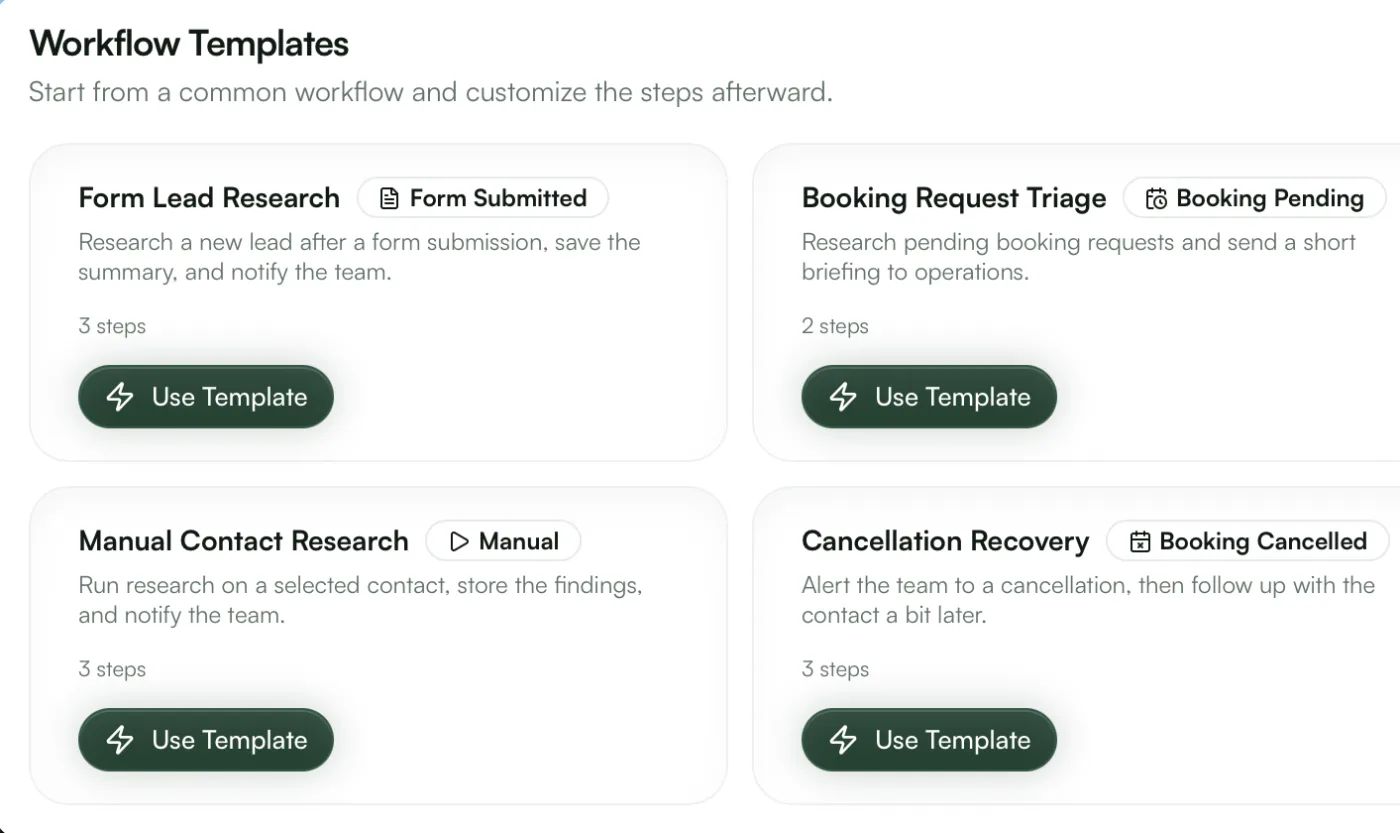
Templates to start from
Start from lead research, booking triage, or cancellation recovery and adjust the steps.
Run history
Each run shows which steps ran, what they did, and which branch was taken.
Manual runs
Run a workflow on one contact to test every step before it goes live.
Send emails, add tags, call webhooks, and research leads
Notify people, update contacts, and call your own systems from one builder, spaced out over hours or days.
Step library
Chain steps in any order
AI research
Research a new lead automatically and save the summary to their contact record.
Webhooks
Post the full context to any URL to connect GoodInbound to the rest of your stack.
Personalized emails
Email steps fill in contact and booking details with template variables.
Send each person the right follow-up
Conditions read form answers, tags, and booking details, so VIPs, large budgets, and people who already booked each get their own path.
Conditional logic
Fields appear based on earlier answers
Answer-aware conditions
Conditions can use any form field, contact tag, or booking attribute.
Waits between steps
Pause for minutes or days so a follow-up arrives at the right time.
Combined rules
Stack several conditions to match a specific situation.
More in the form and scheduling backend
Forms, booking pages, contacts, and workflows share one project, with GoodInbound Lead Screen built in.
Free to start, $29 when you scale
Free screens every form for bots and fake sign-ups. Pro adds the message check that catches sales pitches, enrichment, and ad visit monitoring. Add-ons only raise limits.
What you need
Set your expected volume and the price updates as you go.
Free
$0/month
Free, spam-filtered contact forms with notifications and workflows.
What you get:
- 500 screened submissions / month
- 500 contacts
- 250 workflow runs / month
- 1 seat
- Basic screening
- Unlimited projects, forms, and booking pages
- Custom CSS and branding removal
- REST API and MCP access
Enterprise
Volume pricing, SSO and SCIM, security review, EU data residency, and a 99.9% uptime SLA.
Questions
A form submission, a new booking, a cancelled booking, or a tag being added to a contact.
Send an email, add or remove a tag, call a webhook, wait, branch on a condition, and run AI research on the lead.
Yes. Run it manually on a single contact and check each step in the run history.
Yes. A webhook step posts the contact, the submission or booking, and the workflow context to any URL.
The free plan includes 250 workflow runs a month.