Multi-step forms with conditional logic
Build contact forms, quizzes, and intake flows that ask only what's relevant. Embed them, host them, or post from plain HTML.
- Multi-step with conditional logic
- 12+ field types, file upload included
- Embed, host, or post from HTML
Build forms visually and preview them live
Drag fields into sections, reorder steps, and set validation rules while the preview updates beside you.
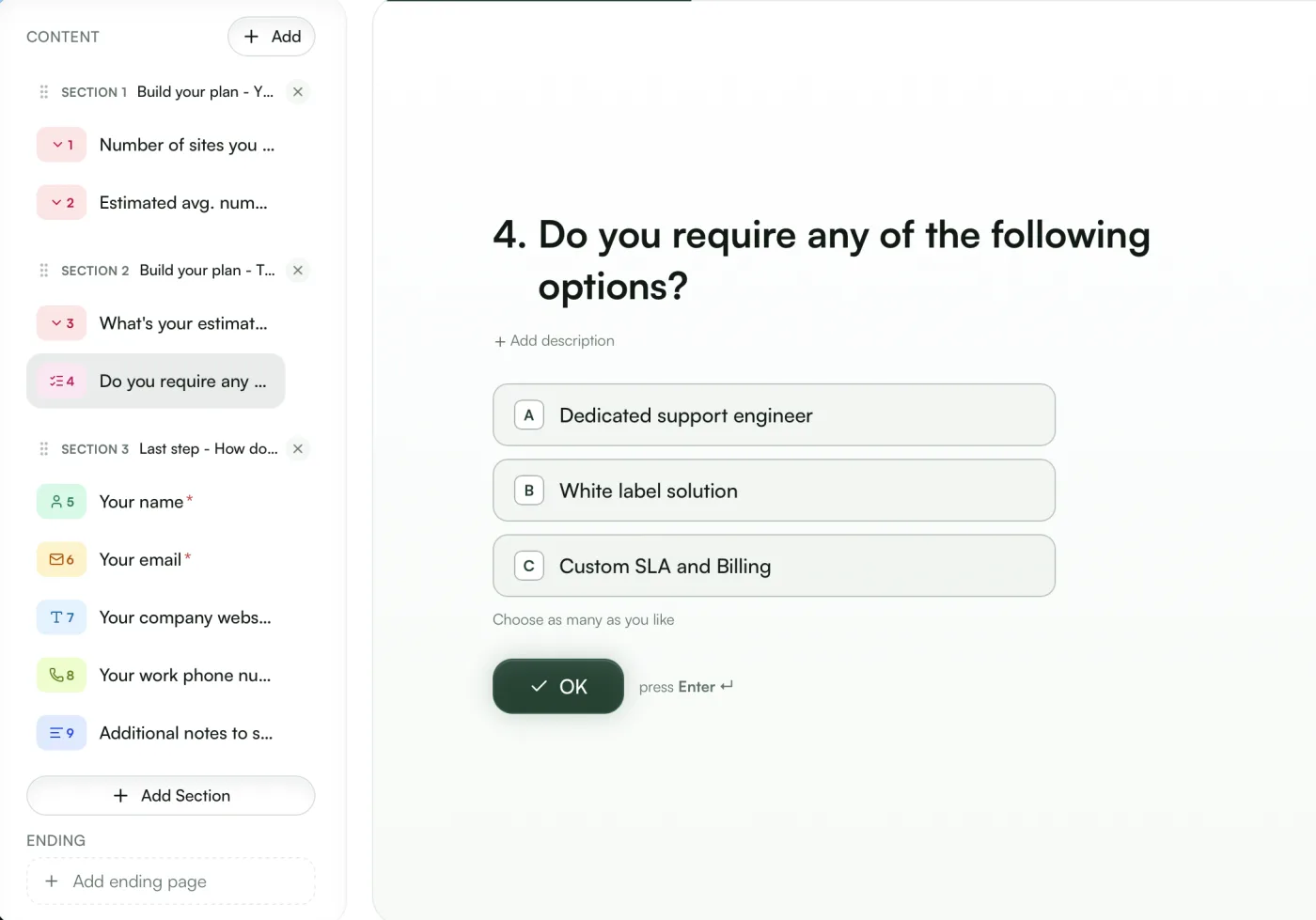
Sections become steps
Group questions into sections and they render as a step-by-step flow that shows progress.
Validation built in
Required fields, email and phone formats, and number ranges are enforced as people type.
12+ field types
Text, email, phone, dropdowns, ratings, file uploads, and more.
Ask only the questions that apply
Show, hide, or require fields based on earlier answers, so simple cases stay short.
Conditional logic
Fields appear based on earlier answers
Field-level conditions
Combine equals, contains, and greater-than conditions to control any field or step.
Higher completion
People see only the questions that apply to them, so more of them finish.
Reads earlier steps
Conditions can use answers from any previous step.
Keep the site you already have
Embed the widget, share the hosted page, or point a plain HTML form at your endpoint.
Native HTML form
Post directly to your endpoint
<!-- GoodInbound native form endpoint -->
<form
  action="https://goodinbound.com/api/v1/forms/acme/contact"
  method="post">
  <input name="full_name" />
  <input name="email" />
  <button>Send</button>
</form>
Plain HTML works
Point the form's action at your endpoint and field names map automatically.
One place for responses
Every response lands in the same dashboard and triggers the same workflows, however it was submitted.
Spam screened out
GoodInbound Lead Screen checks every submission for bots and fake sign-ups before it reaches your responses.
More in the form and scheduling backend
Forms, booking pages, contacts, and workflows share one project, with GoodInbound Lead Screen built in.
Free to start, $29 when you scale
Free screens every form for bots and fake sign-ups. Pro adds the message check that catches sales pitches, enrichment, and ad visit monitoring. Add-ons only raise limits.
What you need
Set your expected volume and the price updates as you go.
Free
$0/month
Free, spam-filtered contact forms with notifications and workflows.
What you get:
- 500 screened submissions / month
- 500 contacts
- 250 workflow runs / month
- 1 seat
- Basic screening
- Unlimited projects, forms, and booking pages
- Custom CSS and branding removal
- REST API and MCP access
Enterprise
Volume pricing, SSO and SCIM, security review, EU data residency, and a 99.9% uptime SLA.
Questions
Multi-step forms with conditional logic and more than 12 field types, including text, email, phone, select, date, rating, and file upload. Fields can show, hide, or become required based on earlier answers.
Yes. Set the form's action to your GoodInbound endpoint and submit with a normal POST. Field names map automatically, and no JavaScript is needed.
Every submission goes through GoodInbound Lead Screen, which checks how the form was filled in, the network it came from, and the email and phone. Visitors never solve a CAPTCHA.
Every response is stored in your dashboard, creates or updates a contact, and can trigger workflows that send emails, add tags, or call webhooks.
Forms are unlimited on the free plan, which includes 500 screened submissions a month. Pro is $29 a month and includes 2,500.