Click fraud protection that fixes what your ads learn.

Bot clicks cost you twice: once for the click, and again when their fake form fills are reported as conversions and teach smart bidding to buy more of the same. GoodInbound Lead Screen records every ad visit, flags repeat clicks, labels every submission, and sends only real leads back to Google, Meta, and TikTok.

Only real leads reach your ad platformsRepeat clicks flagged by IP and click IDFrom $29/mo, not a share of ad spend

Paid traffic

Last 7 days, by campaign

Ad visits

1,240

Engaged

71%

Leads

46

Accepted

31

CampaignSourceVisitsLeadsAccepted
Brand searchGoogle4102219
Demo PMaxGoogle520187

8 bot, 3 spam

RetargetingMeta31065

Only real leads count as conversions.

Smart bidding steers your budget toward whatever you report as a conversion. Every submission is labeled lead, review, spam, junk, or bot before anything is sent, and only accepted leads reach your ad platforms. Bots, fake sign-ups, and sales pitches never train your bids.

Conversions

Only accepted leads are sent

maria@northwind.io

Lead · Asked for a demo

Sent to Meta, TikTok

j.smith@mailinator.com

Junk · Disposable email

Withheld

Unknown sender

Bot · Filled in 1.2 seconds

Withheld

dan@growth-seo.co

Spam · Pitching SEO services

Withheld

Meta Conversions API

Accepted leads go to Meta as Lead events with hashed email and phone, counted once alongside your pixel.

TikTok Events API

Accepted leads go to TikTok with their click ID, so the right ad gets the credit.

Google Ads and the rest

A goodinbound_lead event in Google Tag Manager fires your Google Ads tag for real leads only.
Repeat clicks, flagged with the evidence.

Lead Screen records every visit that arrives from an ad with a click ID or paid UTMs, from Google, Meta, Microsoft, LinkedIn, and TikTok. It counts ad visits per IP and per click, shows which campaigns send people who engage and leave leads, and flags the ones that don't.

Needs a look

Flagged with the evidence

34.12.x.x · AWS

14 ad visits in 2 hours · Brand search · never engaged

ExcludeTrust

Same click, 3 landings

One Google click ID landed 3 times today · Demo PMax

ExcludeTrust

Repeat visits per IP

An address that keeps arriving from your ads without engaging is flagged, with the campaign it hit.

Same click, many landings

One click ID landing again and again is a sign of a replayed or automated click.

You decide what's excluded

Exclude copies the IP with the steps for Google Ads. Nothing real customers do gets blocked behind your back.

Catch the form fills click tools let through.

Click tools judge the click. The expensive part is what happens next: a bot or a lead-farm worker fills in your form, lands in your CRM, and gets reported as a conversion. Lead Screen checks how each form was filled in, the network it came from, the email and phone, and on Pro, the message itself.

Junk · not sent to ad platforms

One submission, four checks

BehaviorTyped over 38 seconds
NetworkNo known network risk, Austin, US
IdentityDisposable email
ContextNot needed, already decided

Answers in under 500 ms

Behavior, network, and identity checks answer in well under half a second. The message check follows in seconds.

Email and phone checks

Disposable and fake emails, fake and VoIP numbers, and a phone from the wrong country.

Any form, any builder

One script tag covers HubSpot, Webflow, WordPress, Framer, and plain HTML forms.

Google Calendar sync

Block busy time automatically and surface live availability.

Buffer times

Add breathing room before and after meetings without manual cleanup.

Timezone aware

Show the right local slot for every visitor without confusion.

Confirmation emails

Send booking details instantly once a slot is locked in.

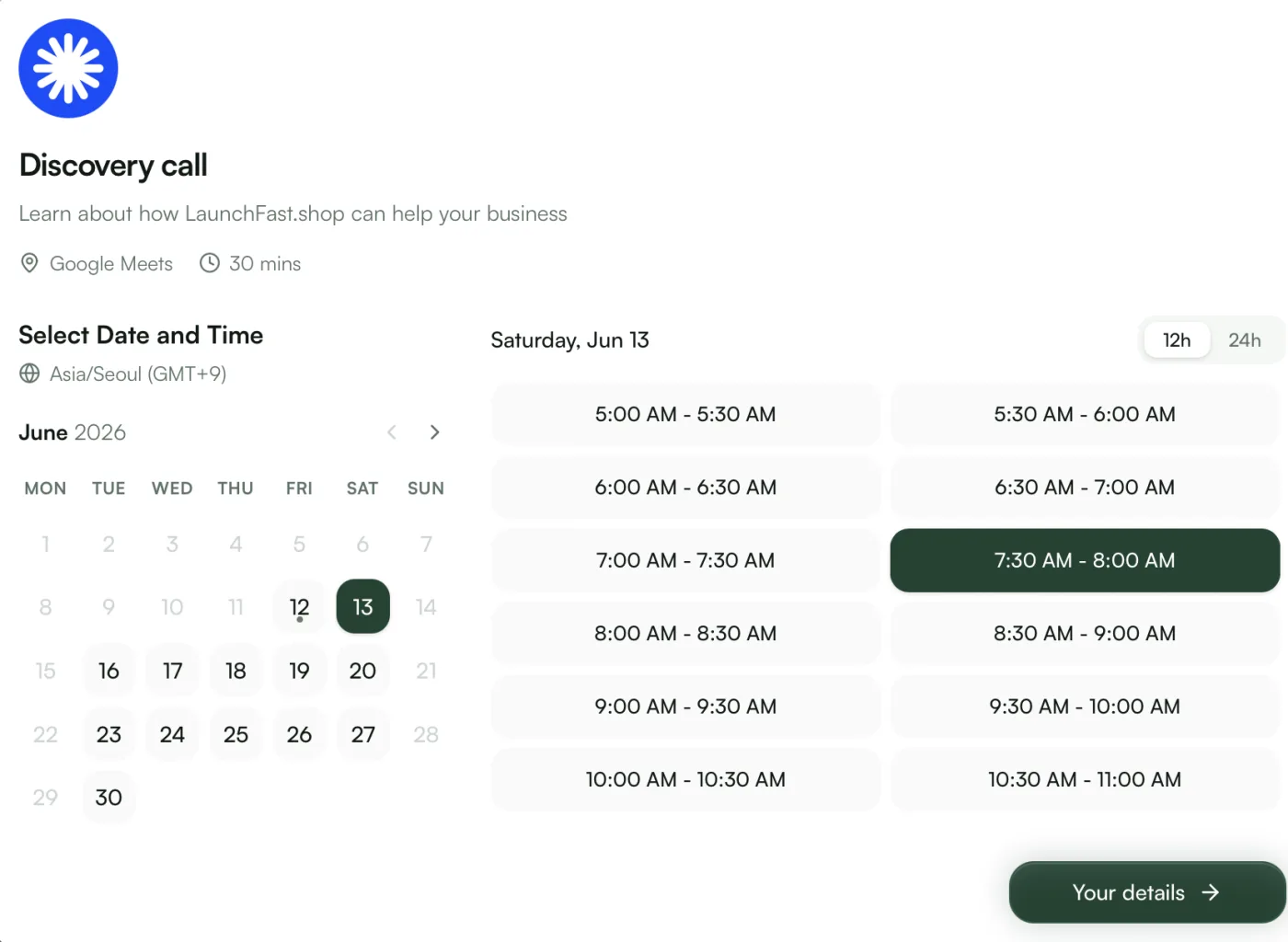
Branded scheduling links and widgets.

Share booking pages and widgets that stay in sync with your calendar, handle timezones correctly, and confirm every slot the moment it is reserved.

Book a Consultation
30 min · Google Meet
March 2026
Su
Mo
Tu
We
Th
Fr
Sa
1
2
3
4
5
6
7
8
9
10
11
12
13
14
15
16
17
18
19
20
21
22
23
24
25
26
27
28
29
30
31
10:00 AM
2:00 PM
4:00 PM
Your Details
Tue, Mar 24 at 2:00 PM · 30 min
Name
Email
Notes
Optional...
Booking confirmed!
Tue, Mar 24 at 2:00 PM · 30 min
Confirmation sent to sarah@company.com
Next

Conditional logic

Reveal the next question from what the visitor already told you.

File uploads

Collect briefs, assets, and supporting documents in the same flow.

Multi-step

Break longer forms into short screens that are easier to finish.

Validation

Catch missing or malformed inputs before the response is stored.

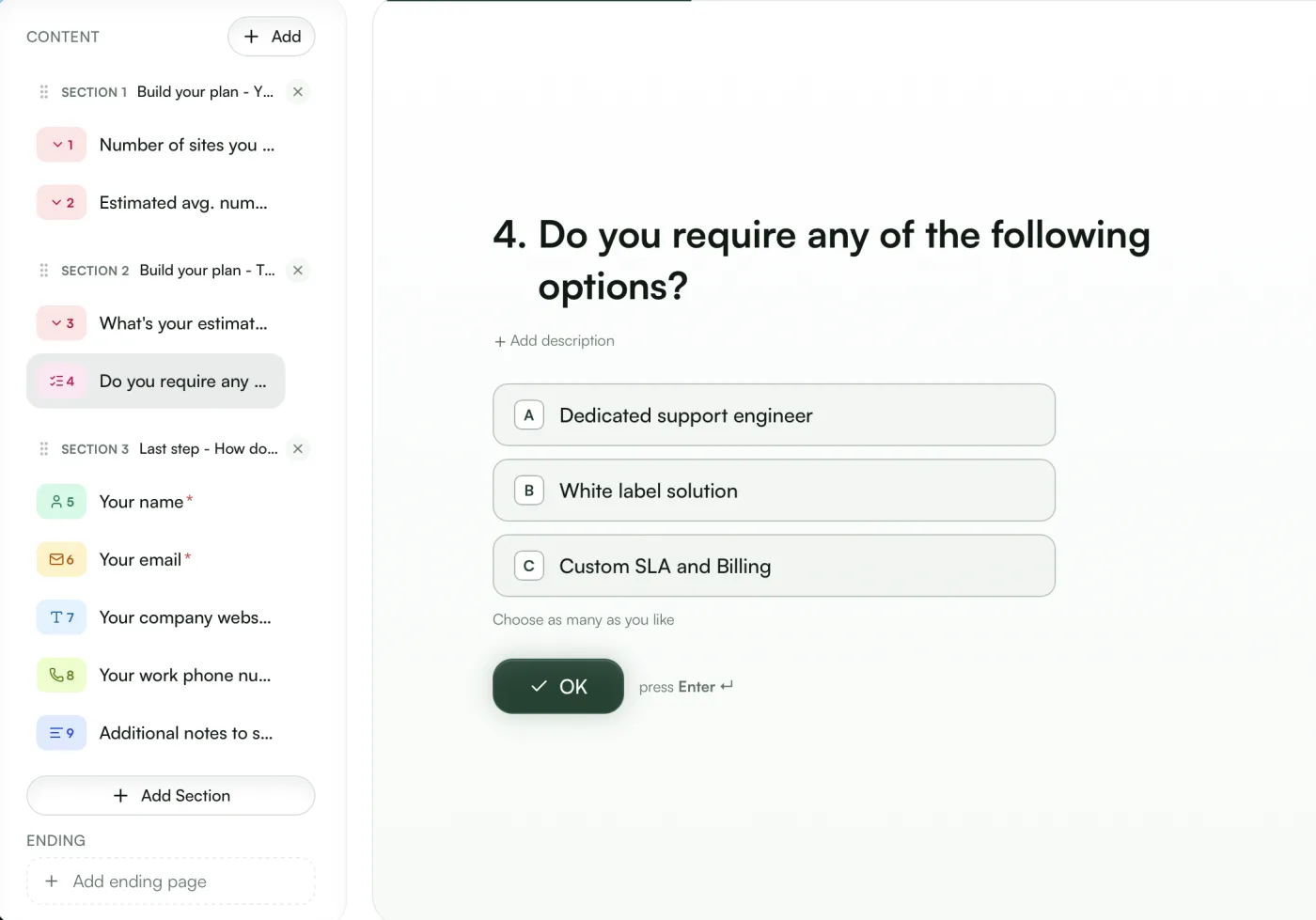
Build forms that adapt.

Create multi-step flows that branch based on answers, collect files, and validate the right fields before anything gets submitted.

Contact Info
Tell us how to reach you
Full Name
Email Address
Company
Company Size
Conditional
50–200
Project Details
Tell us about your project
Budget Range
Select...
Timeline
Select...
Additional Notes
Optional...
Response submitted!
We'll be in touch within 24 hours.
Next

Auto-tagging

Apply tags from answers, event type, or workflow branch automatically.

Activity timeline

See submissions, bookings, and follow-up actions in one stream.

CSV import

Bring existing contacts in without rebuilding your data manually.

Smart search

Filter people by tag, source, or recent activity in seconds.

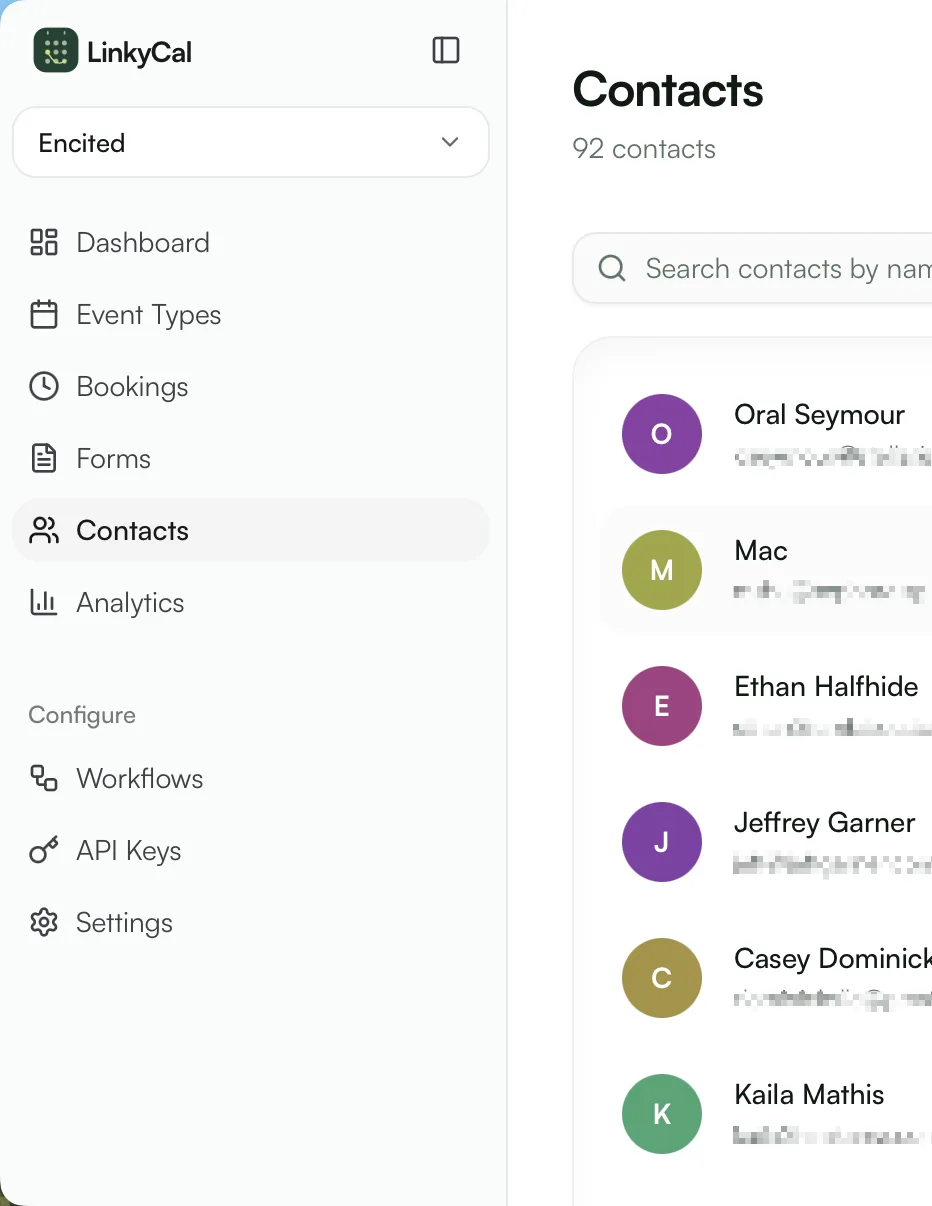
Keep every contact organized.

Turn every form response and booking into a contact record with tags, history, and enough context for your team to act immediately.

Contact Details
SJ
Sarah Johnson
sarah@company.com
VIP
Active Lead
Activity
Booked consultation
2h ago
Submitted contact form
1d ago

Email triggers

Send confirmations, reminders, and follow-ups from one event.

Tag automation

Segment leads automatically as new activity comes in.

Webhooks

Push bookings and submissions into the tools you already use.

Conditional logic

Branch actions based on answers, timing, or event details.

Automate the busywork.

Trigger follow-ups from submissions and bookings, branch logic based on context, and keep repetitive post-submit tasks off your plate.

Workflow Editor
Form Submitted
Trigger
Send confirmation email
via Resend
Add tag 'Lead'
auto-tag
Wait 2 days
delay step
Send follow-up email
via Resend

Check availability

Query live scheduling windows before you show the next step.

Create bookings

Reserve slots directly from agents or custom application flows.

Submit forms

Post structured responses into your workflows without the widget.

Manage contacts

Read and update people records while your agents operate.

Let your agents handle everything.

Expose the same scheduling, forms, and contact workflows through an API so custom apps and AI agents can do the work programmatically.

Terminal
$curlGET/api/v1/availability/acme
...
fetching
200 OK
{
  "slots": [
    { "start": "2026-03-24T14:00" },
    { "start": "2026-03-24T15:00" }
  ]
}
$curlPOST/api/v1/bookings
201 Created
{
  "id": "bk_a1b2c3d4",
  "status": "confirmed"
}

Up and running in minutes

01

Create your project

Pick a name and slug — it becomes your namespace for forms, event types, and contacts.

02

Build forms & event types

Drag in fields, set availability rules, and brand everything to match your site.

03

Embed & go live

Paste one script tag or share your hosted link. Submissions and bookings flow in instantly.

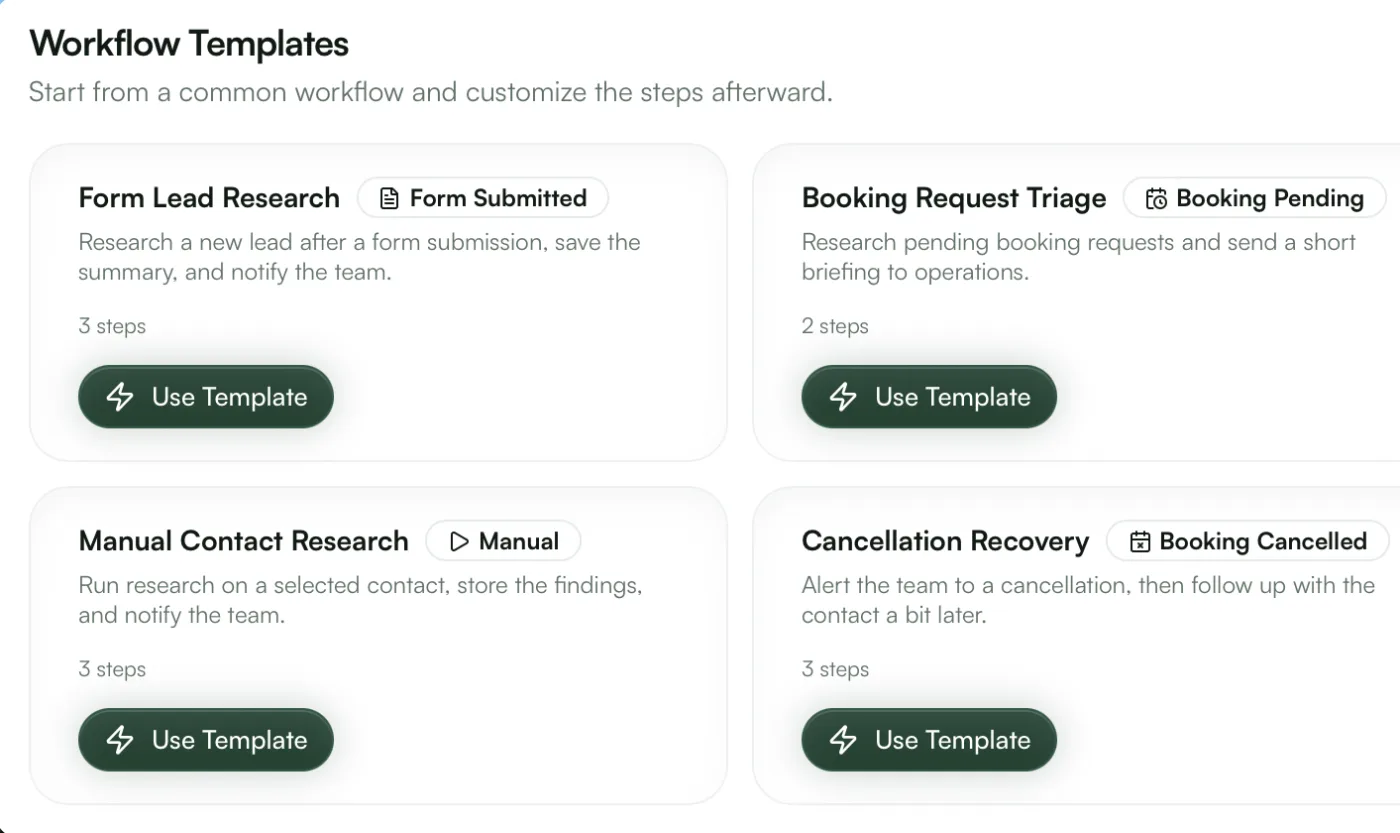
GoodInbound hosted booking page with date and time slot pickerGoodInbound form builder editing a multi-step quote formGoodInbound workflow templates triggered by forms and bookingsGoodInbound contacts list inside the dashboard
Hosted booking pages
Embeds anywhere — WordPress, Webflow & plain HTML

Free for almost every use case

Unlimited projects on every plan. Pro adds advanced screening, enrichment, and analytics, with extra seats, contacts, and screened submissions when you grow.

MonthlyAnnual 2 months free

Free

Free, spam-filtered contact forms with notifications and workflows.

$0/month

Included features:

  • 500 screened submissions / month
  • 500 contacts
  • 250 workflow runs / month
  • 1 seat
  • Basic screening
  • Unlimited projects, forms, and booking pages
  • Custom CSS and branding removal
  • REST API and MCP access
  • Contact enrichment
  • Analytics

Pro

Advanced spam screening and bigger limits.

$29/month

Everything in Free, plus:

  • 2,500 screened submissions / month
  • 5,000 contacts
  • 5,000 workflow runs / month
  • 3 seats
  • Advanced screening
  • Contact enrichment
  • Analytics with 12-month history
  • Extra seats at $19/seat/mo
  • +3,000 contacts for $30/mo
  • +3,000, 10,000, 25,000 screened submissions for $30, $90, $200/mo
  • +10,000, 30,000, 50,000 analyzed ad visits for $120, $300, $450/mo

Enterprise

For headless volume, security reviews, and custom scale.

Custom

Everything in Pro, plus:

  • Volume pricing
  • SSO and SCIM
  • GDPR DPA and security review
  • EU data residency
  • Custom data retention
  • 99.9% uptime SLA
  • Priority support
  • Invoice billing
  • Onboarding and custom implementations

Frequently asked questions

Most click fraud tools focus on blocking clicks. Lead Screen focuses on what those clicks produce: it records every ad visit, screens every form fill, and sends only real leads back to your ad platforms as conversions, so bidding learns from leads that are real. You can use it alongside a click-blocking tool or on its own.

A click is charged when it happens, whichever tool you use. Lead Screen stops the second cost, fake conversions training your bids toward more bots, and flags repeat visitors so you can exclude them from future clicks in Google Ads.

Yes. Meta has no IP exclusions, so what you report back is your strongest lever. Lead Screen records visits that arrive with Meta's click ID, screens the form fills they produce, and sends only accepted leads through the Conversions API, so Advantage+ and lead campaigns optimize toward real people.

Ad visits are recorded for Google, Meta, Microsoft, LinkedIn, and TikTok click IDs, and for any visit tagged with paid UTMs. Accepted leads go to Meta and TikTok directly, and to Google Ads or any other platform through Google Tag Manager or a webhook.

Pro is $29 a month and includes 1,000 analyzed ad visits and 2,500 screened submissions. More ad visits start at $120 a month for 10,000. Pricing follows the visits you analyze, not a share of your ad spend.

Nothing is blocked automatically. Repeat visitors are flagged with the evidence, and you choose whether to exclude them. Submissions that look mixed are labeled review rather than thrown away, and you can mark an IP as trusted.

Take your forms & scheduling to the next level

Create your free account and launch your first form or booking page in minutes. No credit card required.

View documentation
yoursite.com
You write this
<div id="booking"></div>
<script src=
  "https://cdn.goodinbound.com/widgets/booking.js">
</script>
<script>
  GoodInbound.booking({
    projectSlug: "acme",
    eventTypeSlug: "discovery-call",
    container: "#booking"
  });
</script>
Visitors see this
Discovery call
30 min · Google Meet
Mon
16
Tue
17
Wed
18
Thu
19
Fri
20
10:00 AM
11:30 AM
2:00 PM
4:30 PM
Confirm booking